

Model Context Protocol: What It Is and Why Your Team Needs It Introduction
 May 19, 2026
  13 min read
 AI agents can write code, follow standards, and apply processes. Prompts, rules, skills - all of these shape their behavior and knowledge. But there's one problem: the agent can't see your database. Can't call your API. Has no idea what's in Jira.
Every time external context is needed, a developer copies data manually and pastes it into the chat. It works, but it doesn't scale.
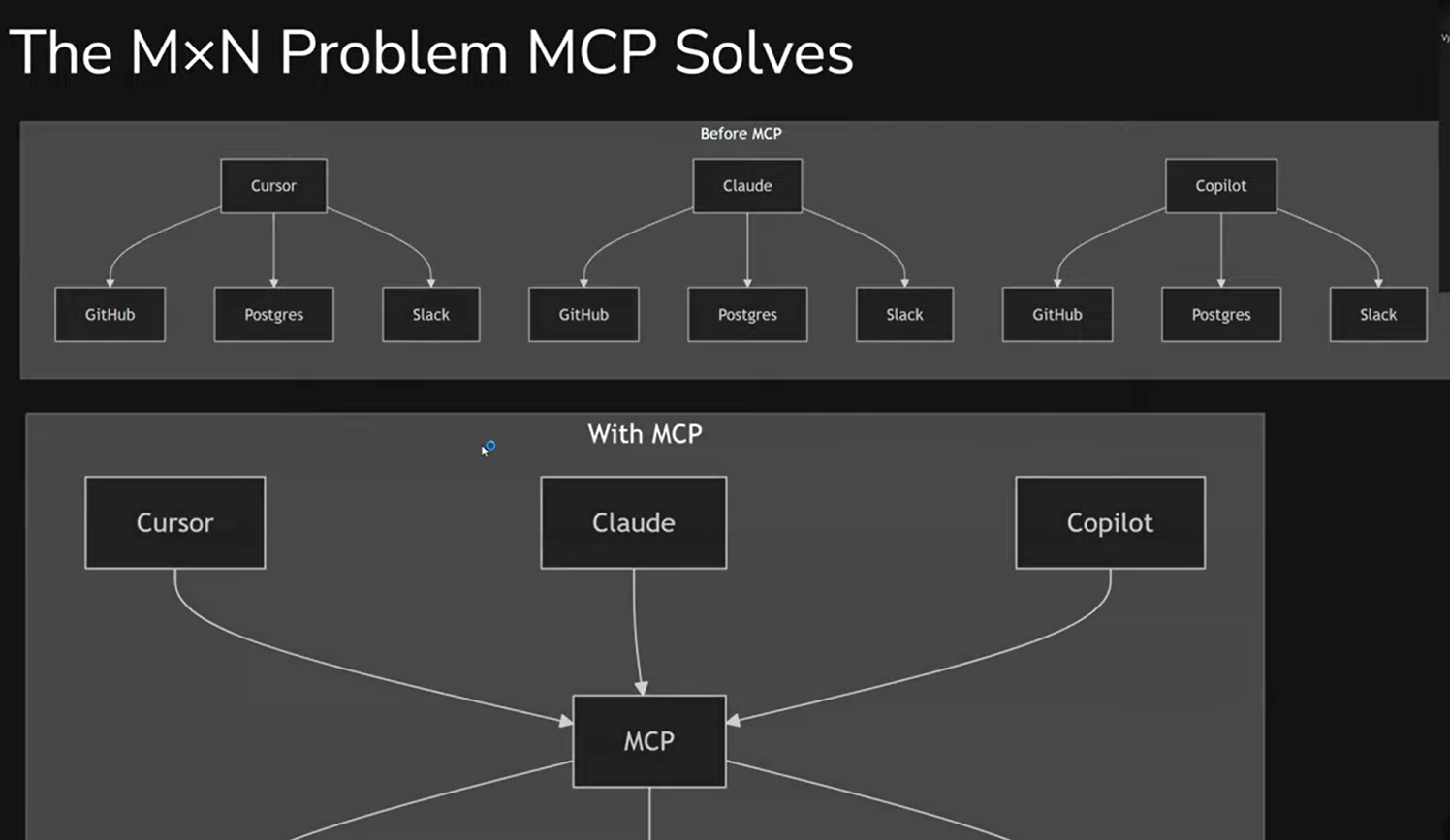
Before MCP, every integration meant a separate adapter for each tool: a Cursor plugin, a Claude Code extension, another one for Copilot. MCP changes this - one standard that works everywhere.
This article, based on one of our internal "Modern Development with Agentic AI" workshops, covers what MCP is, how it works, and how to start using it safely.
What Is MCP
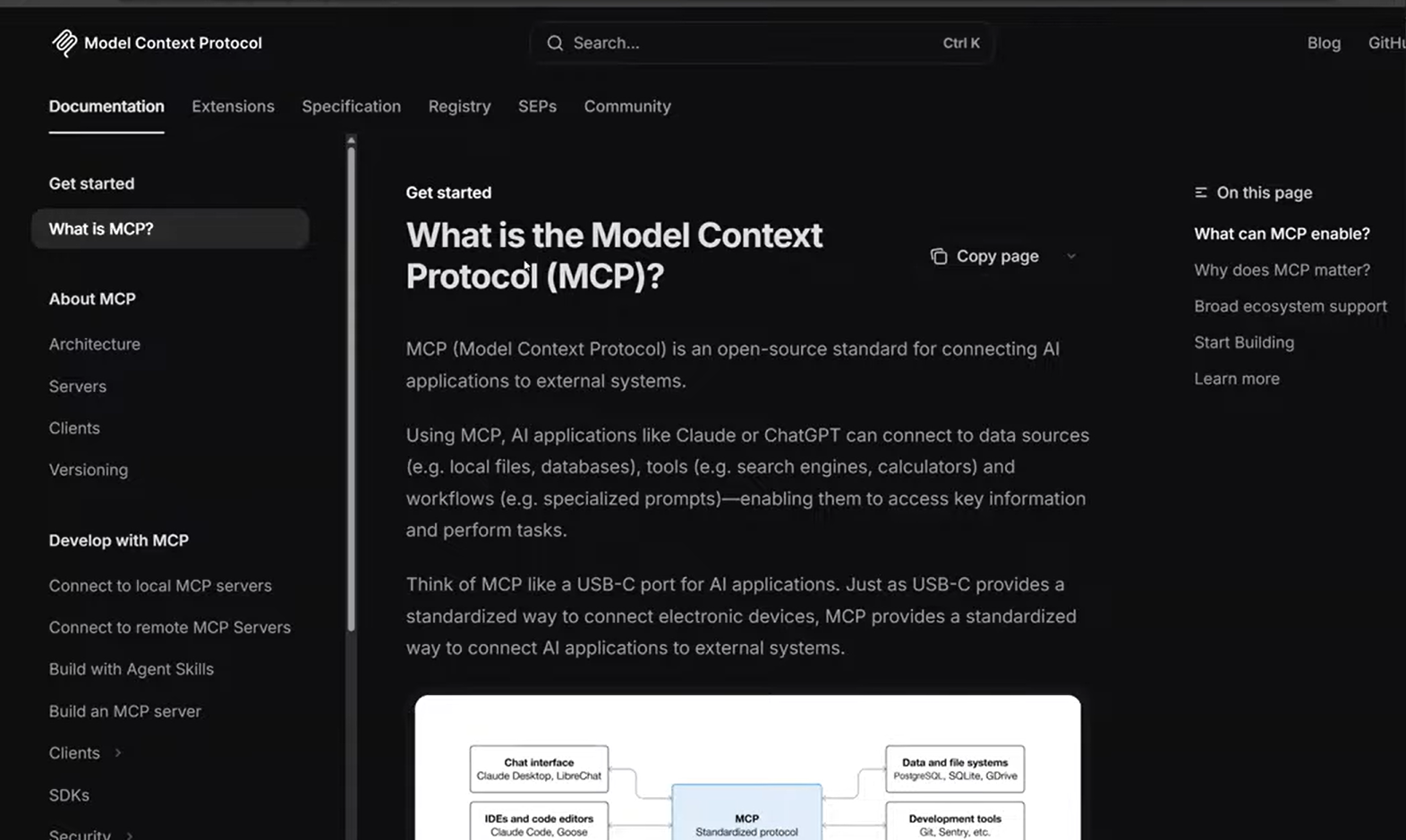
Model Context Protocol is an open protocol that standardizes how AI agents connect to external systems: databases, APIs, file systems, third-party services. Originally proposed by Anthropic in late 2024, it's now supported by dozens of tools and actively developed by the community.
The idea is borrowed from LSP (Language Server Protocol) - the same protocol that lets VS Code, Sublime, and other editors support dozens of programming languages without a separate plugin for each one. Instead of writing a custom integration for every "agent + tool" pair, you build one MCP server - and it works with any agent that supports the protocol.
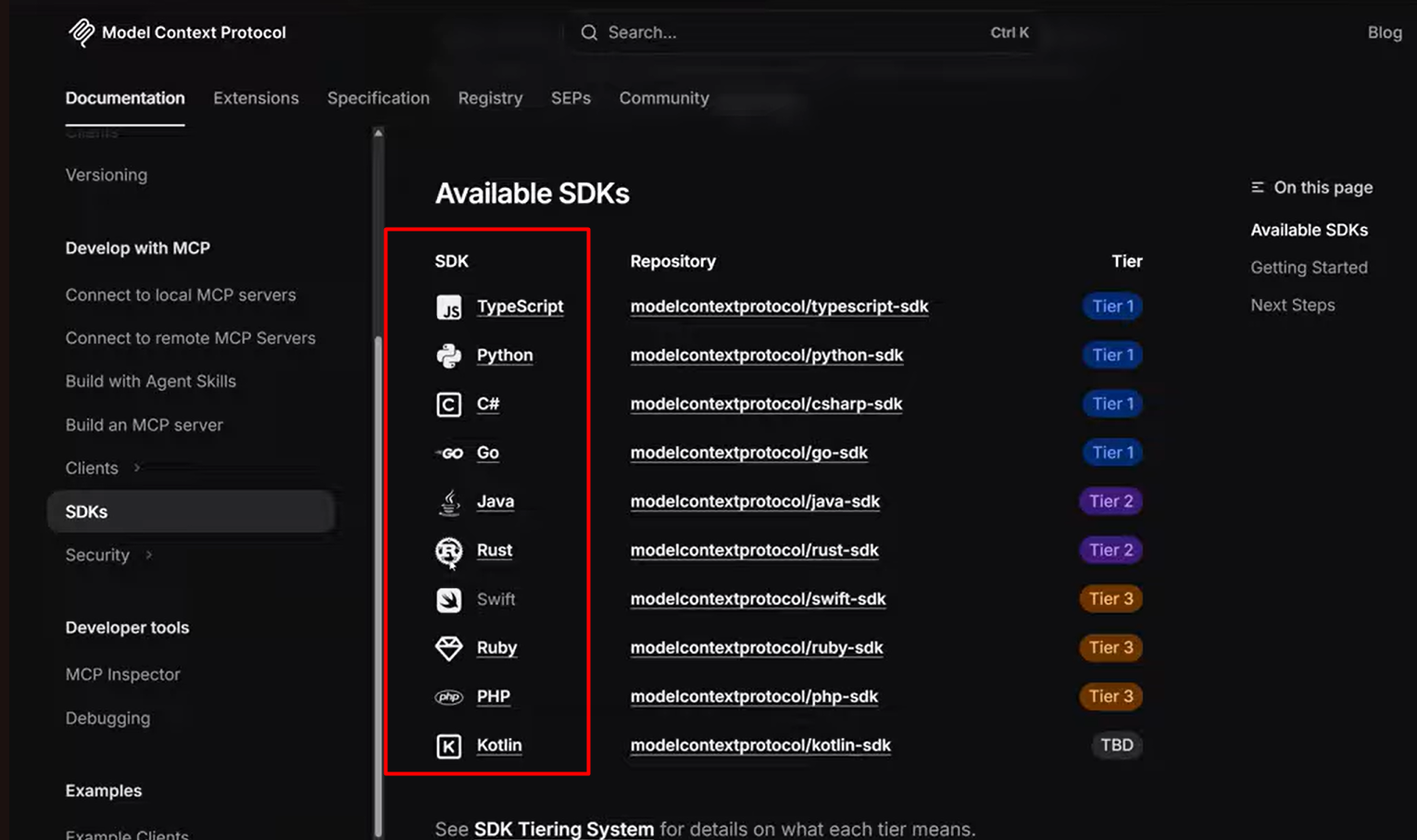
The official specification lives at modelcontextprotocol.io. SDKs are available for major languages: TypeScript, Python, C#, and Go have the highest level of support (Tier 1), followed by Java and Rust (Tier 2), then Swift, Ruby, and PHP (Tier 3). If your stack isn't in the first tier - it's worth looking at unofficial SDKs, which have appeared in large numbers and sometimes work even better than the official ones.
In practice, teams often build MCP servers for specific projects: you identify a system the agent needs access to and implement an MCP server for it. And MCP isn't just about development environments. The protocol can be used to connect any AI agents to external systems, not only those that write code.
Architecture: How It's Built
MCP is built on a simple idea: you don't build a client that implements all the integration logic at once. Instead, there are three layers.
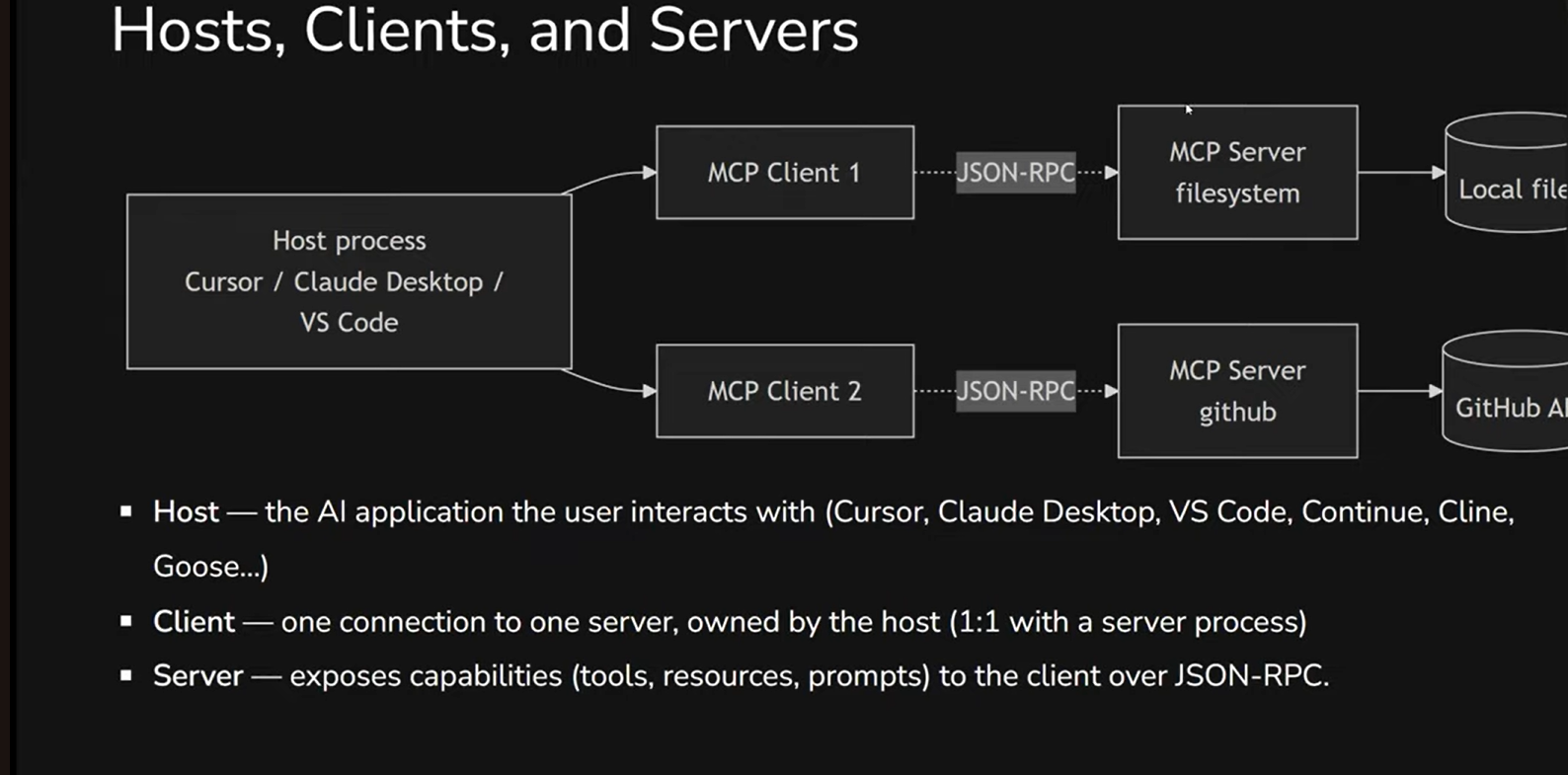
Host - your AI tool, where you work: Cursor, Claude Code, VS Code. Essentially the MCP consumer, the entry point.
Client - created by the host, it acts as an intermediary between your tool and the server. Each client connects to exactly one server.
Server - the actual MCP server that implements the logic: connects to a database, API, file system - whatever you need.
A natural question: why this intermediary layer, why not do everything in the client? Technically, you can. But if the integration logic can be implemented without a separate server, then most likely you don't need MCP at all. Better to build a CLI tool or a skill with a script - simpler and cheaper.
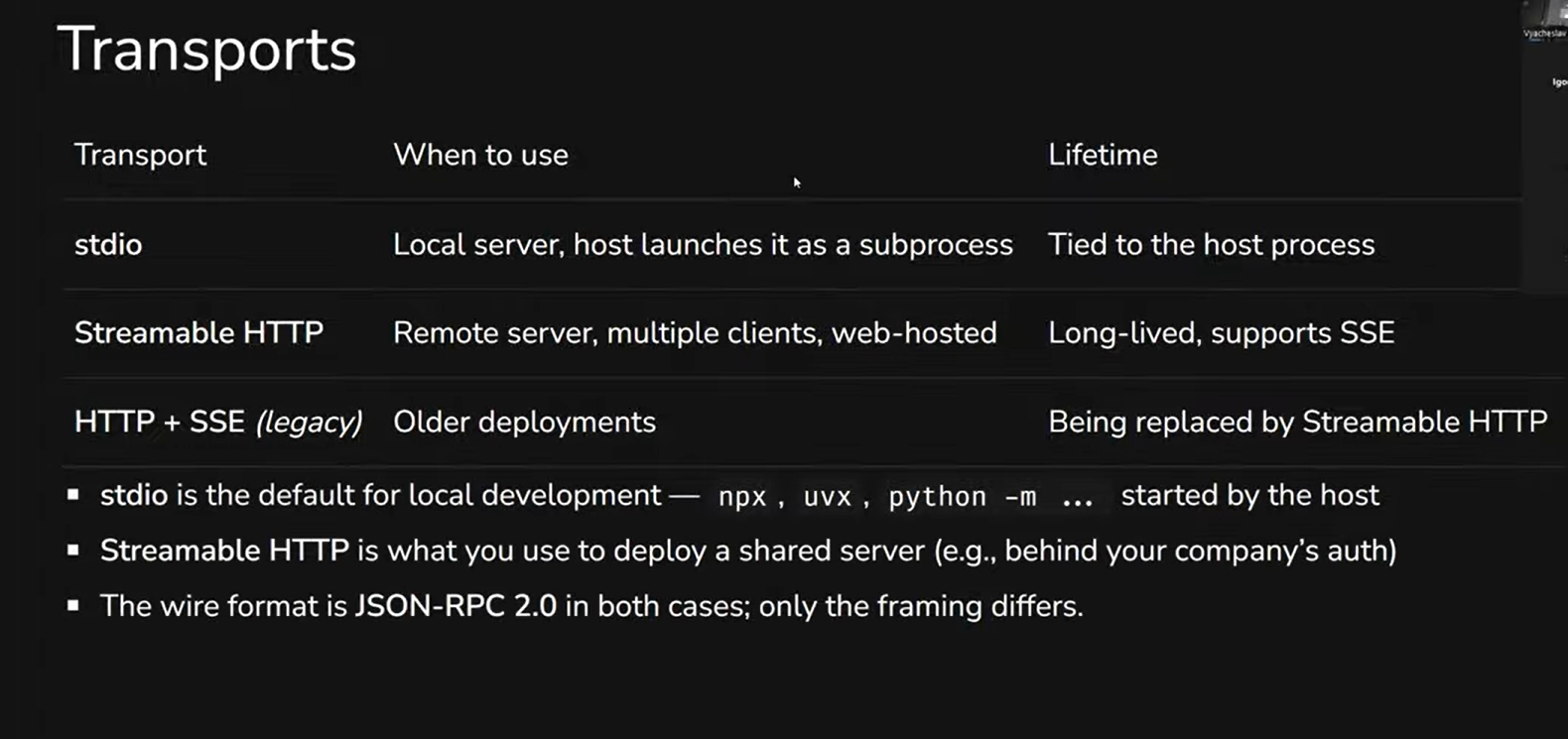
On transports: if the MCP server runs locally on your machine, stdio is used - standard input/output, with the server launched as a subprocess. If the server is remote - Streamable HTTP. The wire format is the same in both cases: JSON-RPC 2.0.
One more important nuance. Unlike skills, MCP doesn't use progressive disclosure. When you connect an MCP server, the agent immediately loads all its signatures - descriptions of all available functions. If there are many servers with dozens of tools each, the context window gets cluttered. The model starts getting confused: calling the wrong tools or ignoring the right ones. So the number of active MCP servers is worth keeping under control.
What an MCP Server Can Do: Tools, Resources, Prompts
The standard defines three types of things an MCP server can provide to an agent.
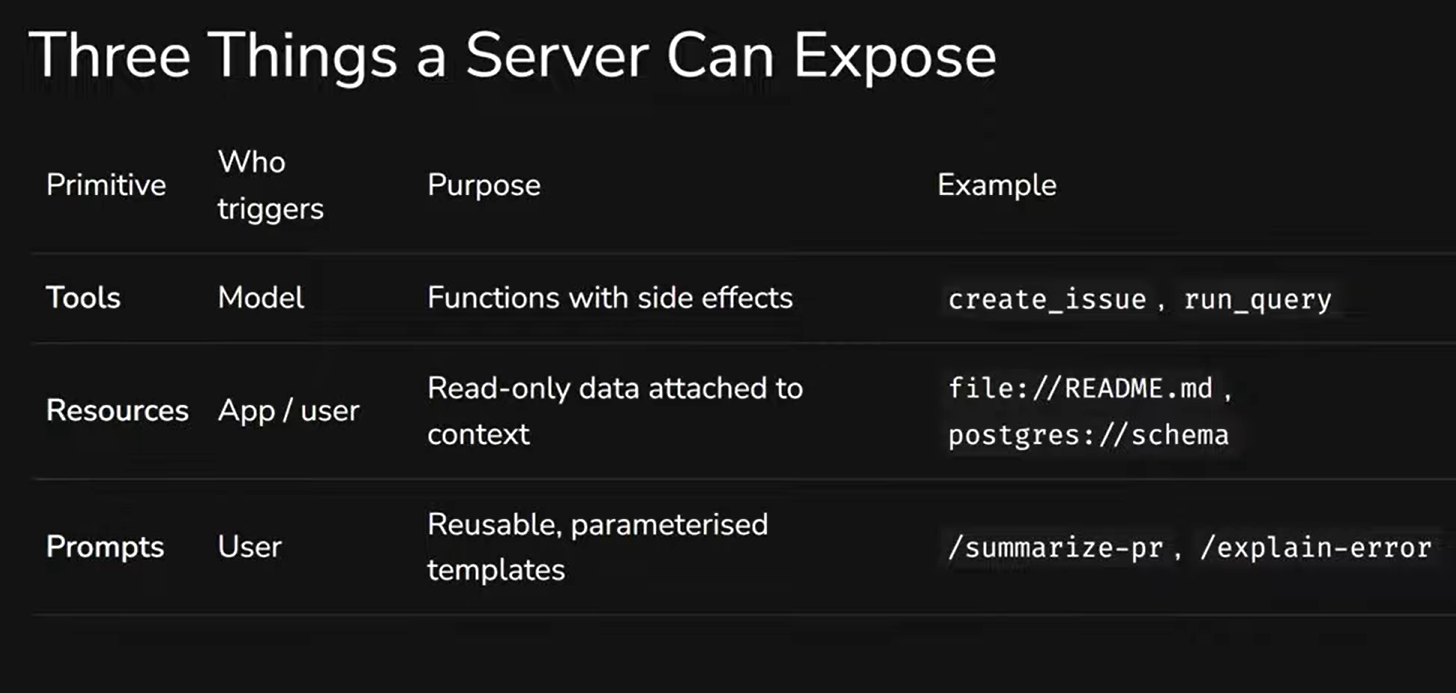
Tools - the main one. Essentially, functions with side effects: create an issue, execute a SQL query, send a message. But it's not enough to just describe what a tool does - you need to explain in enough detail when to use it, so the model understands: this tool is available and this is exactly the task it should be applied to. It's also important to properly describe the arguments - in what format and shape to pass them.
Resources - read-only data attached to the context. For example, file contents, a database schema. The agent doesn't "call" them - they simply become available.
Prompts - parameterized templates that the user can activate: /summarize-pr, /explain-error. Convenient, but worth keeping in mind: prompt injection can work through prompts if the MCP server is compromised.
Most servers only implement tools - and that's sufficient for the vast majority of tasks.
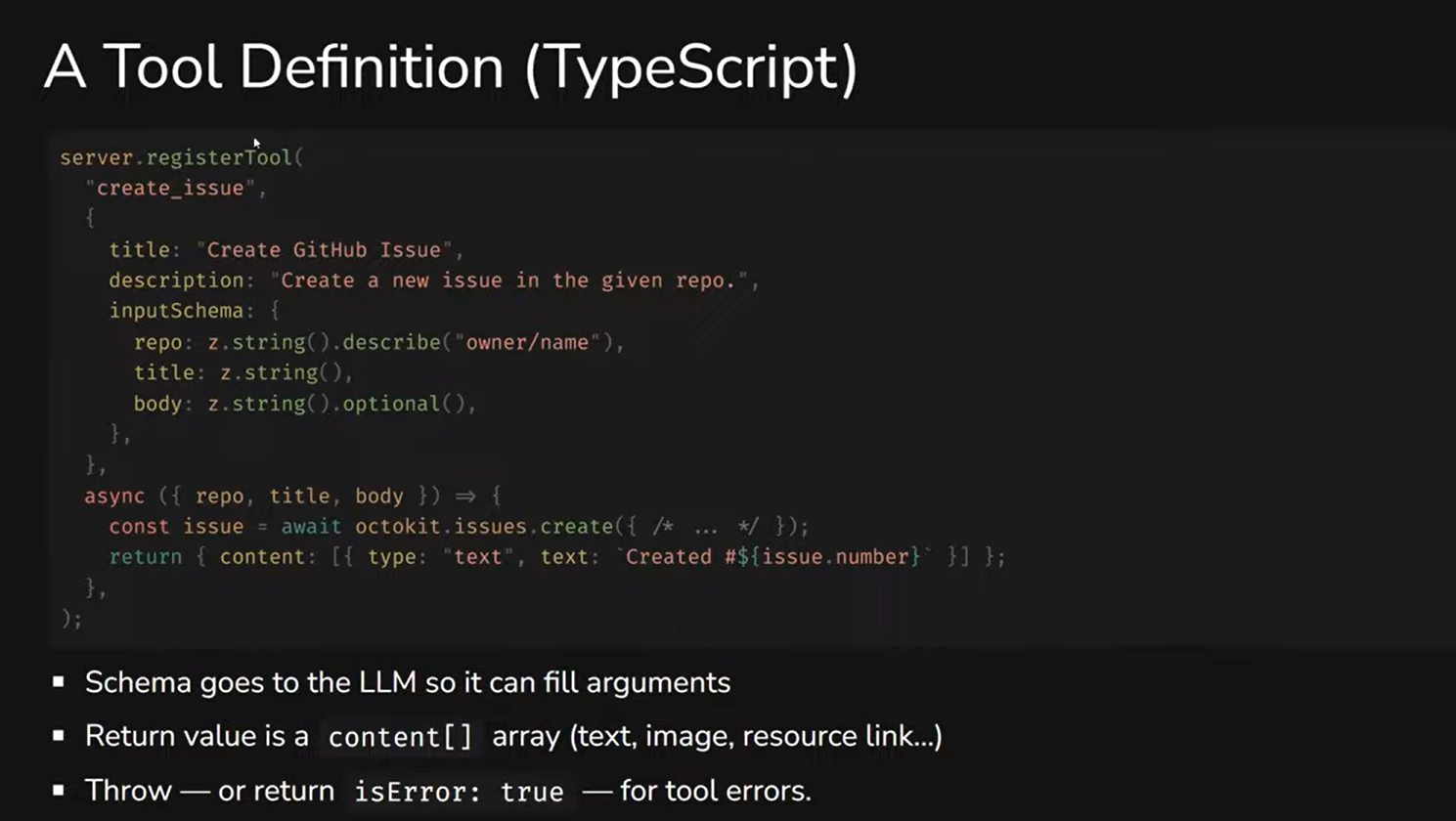
What a tool definition looks like: you describe the name, a description (what it does and when to use it), the parameter schema, and the implementation itself. The quality of the description is critical here. We've encountered situations where developers built an MCP server, but the model simply ignored it - it didn't understand that this particular tool was needed for the task. Rewriting the description in more detail, perhaps even with examples, was enough to make everything work.
One more practical point: error handling. If the model passes incorrect parameters, the server should return a detailed error - what exactly is wrong and in what format the data is expected. Then the model is capable of self-correction: retrying the call with the correct parameters. But if the error comes back without explanation - the model will simply stop.
When to Use MCP - and When Not To
MCP is a powerful tool, but not a universal one. There are situations where it's a perfect fit, and situations where it creates unnecessary complexity.
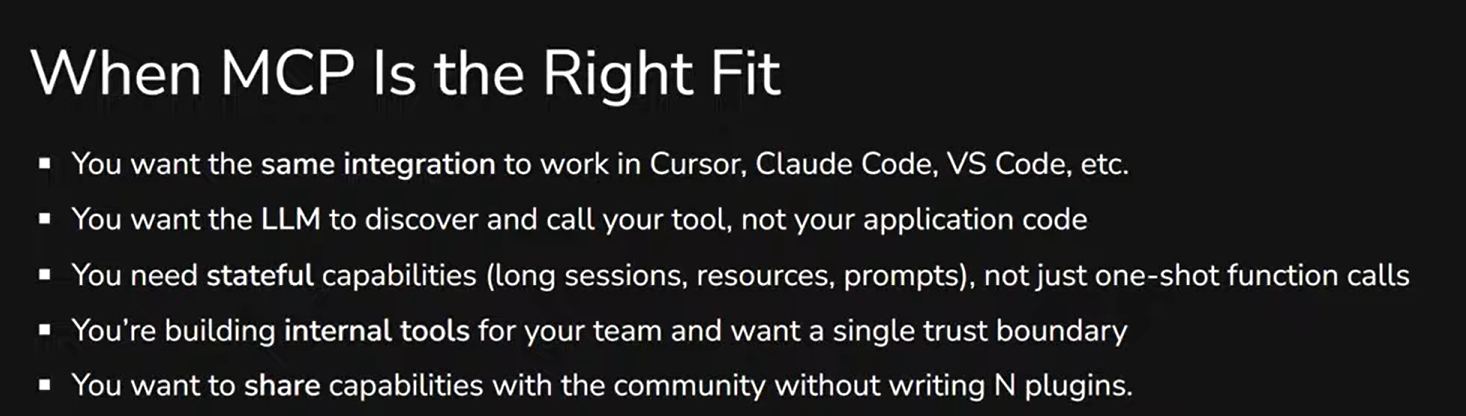
MCP is worth using when you need the same integration across different AI tools (Cursor, Claude Code, VS Code), when you want the model to decide on its own when to activate a tool, when you need stateful capabilities (long sessions, not one-shot function calls), and when you're building internal tools for your team.
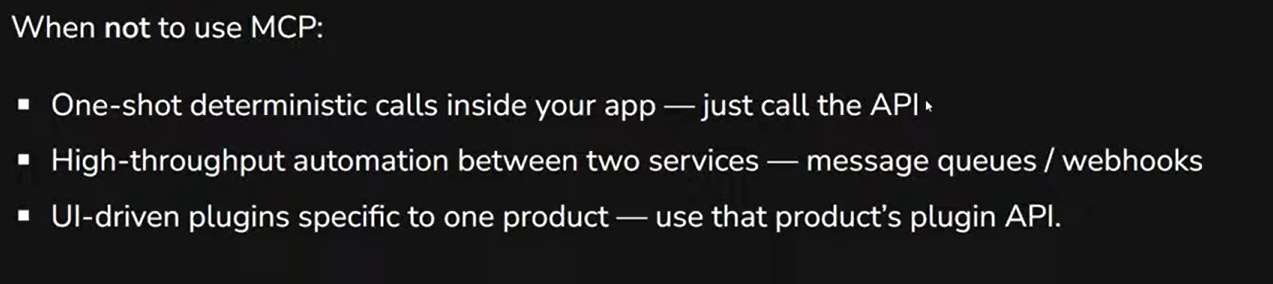
When MCP isn't needed: for one-shot deterministic calls (just call the API directly), for high-throughput automation between services (message queues are better here), and for UI plugins specific to one product (use that product's native plugin API).
The general rule: if a task can be solved with a CLI tool or a skill with a script - it's better to do it that way. MCP adds a layer of abstraction, and it should be justified.
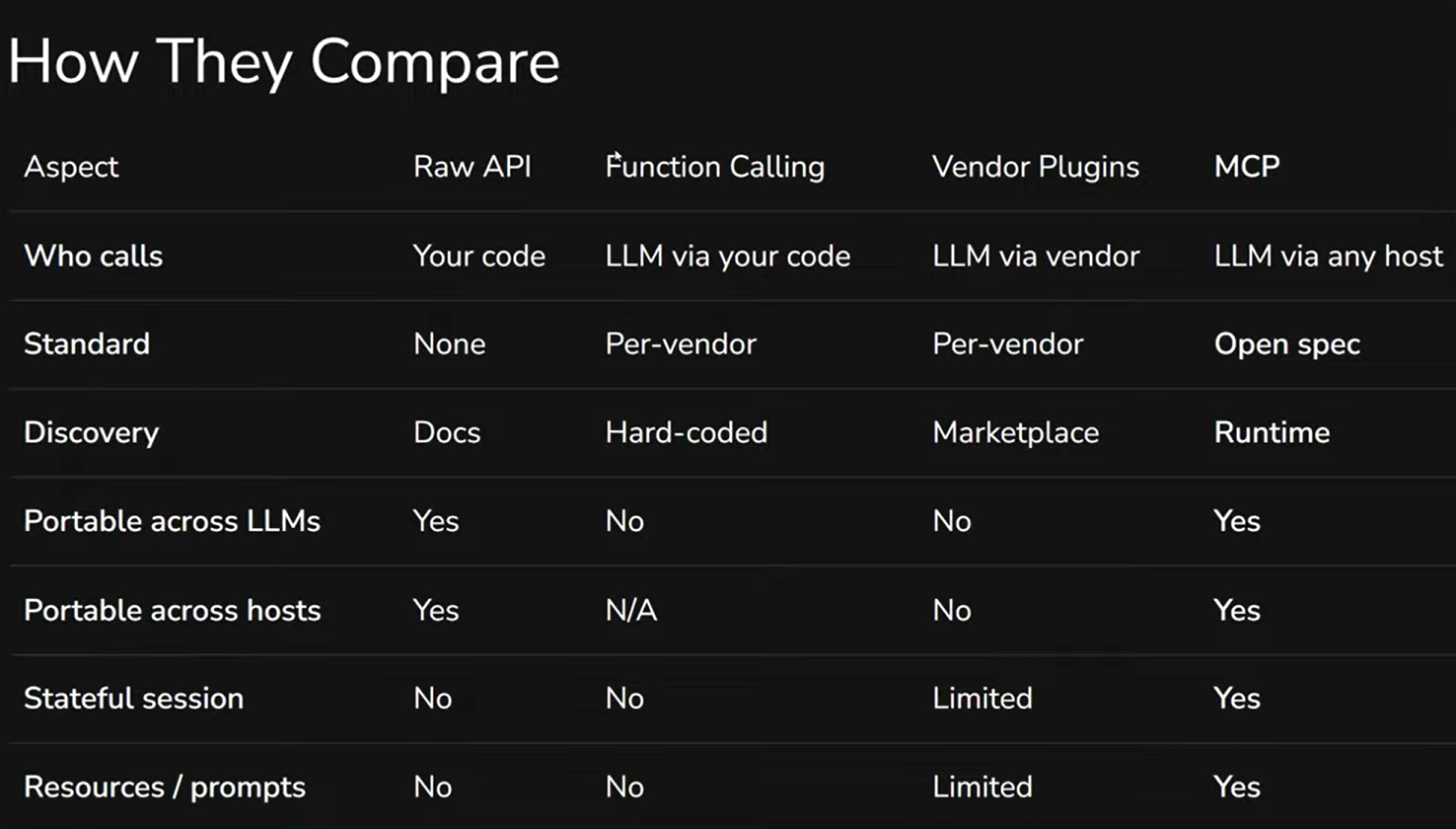
Comparison with alternatives: Raw API - you control everything, but nothing is standardized. Function Calling - the model calls your code, but it's a per-vendor solution. Vendor Plugins (like in Cursor) - convenient, but only work in one tool. MCP - the only option that's portable across both models and hosts simultaneously.
One more practical recommendation. Sometimes MCP is connected but the model doesn't use it - it doesn't understand that this particular server is needed for the task. In that case, you can either explicitly say in the prompt "use MCP," or - better - write it in rules: "for this type of task, use this MCP server." We tried asking the agent itself to write such a rule based on the MCP documentation - and it did.
Security: MCP as Additional Doors
MCP gives the agent access to real systems. But every new integration is an additional door in your security perimeter. And it's worth being prepared for that.
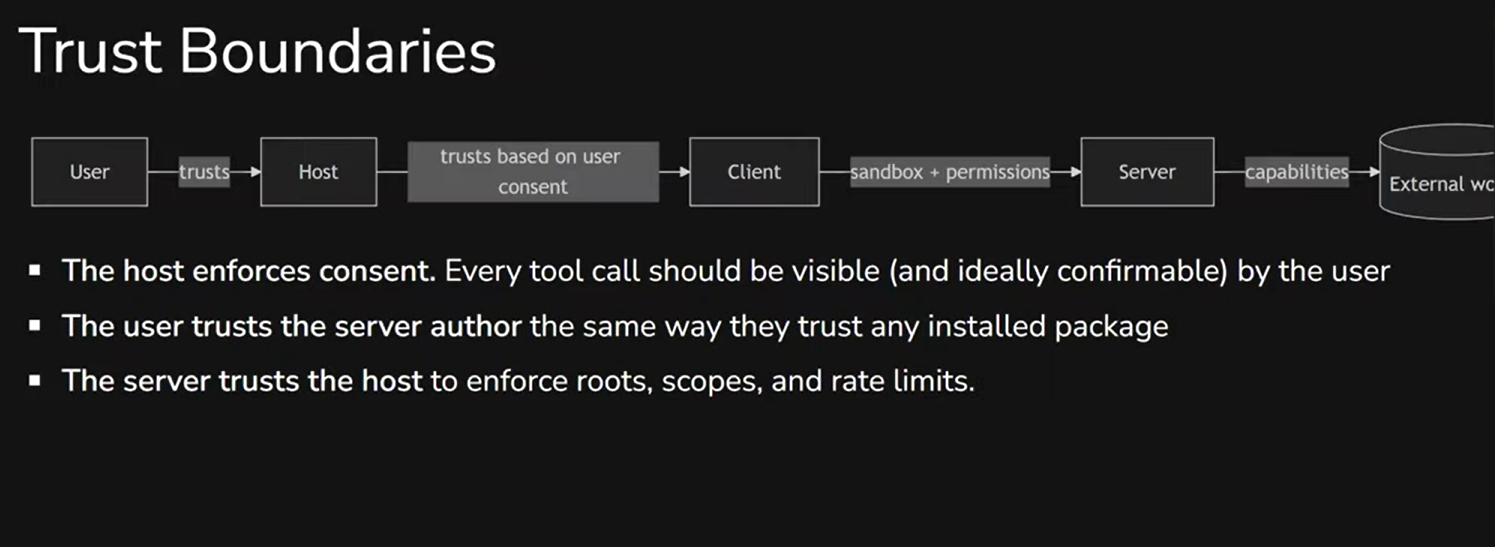
The trust chain looks like this: the user trusts the host (Cursor, Claude Code), the host trusts the client, the client works with the server, the server reaches out to the external world. Problems can occur at every link.
Key risks to be aware of:
Prompt injection / tool poisoning. A malicious resource - a web page, file, log - can contain an instruction telling the model to call a dangerous tool. Or an MCP server can request too much information through tool parameters, and the agent will comply without questioning.
Confused deputy. The MCP server has more permissions than the user intended. The model uses these excess permissions because it doesn't understand the constraints - it sees the tool is available and simply calls it.
Supply-chain risk. When you write npx -y some-mcp@latest, you're effectively downloading and running someone else's code on your machine. Not everyone realizes this: an MCP server installed locally executes in your environment as a regular process.
Credential leakage. Some MCP servers ask you to put access keys directly in the configuration. If that configuration sits in a repository - secrets end up in Git.
Data exfiltration. You connect MCP to a production database read-only - seems safe. But the agent takes sensitive data and passes it to another tool, which sends it externally. The leak happens not through MCP directly, but through a chain of calls.
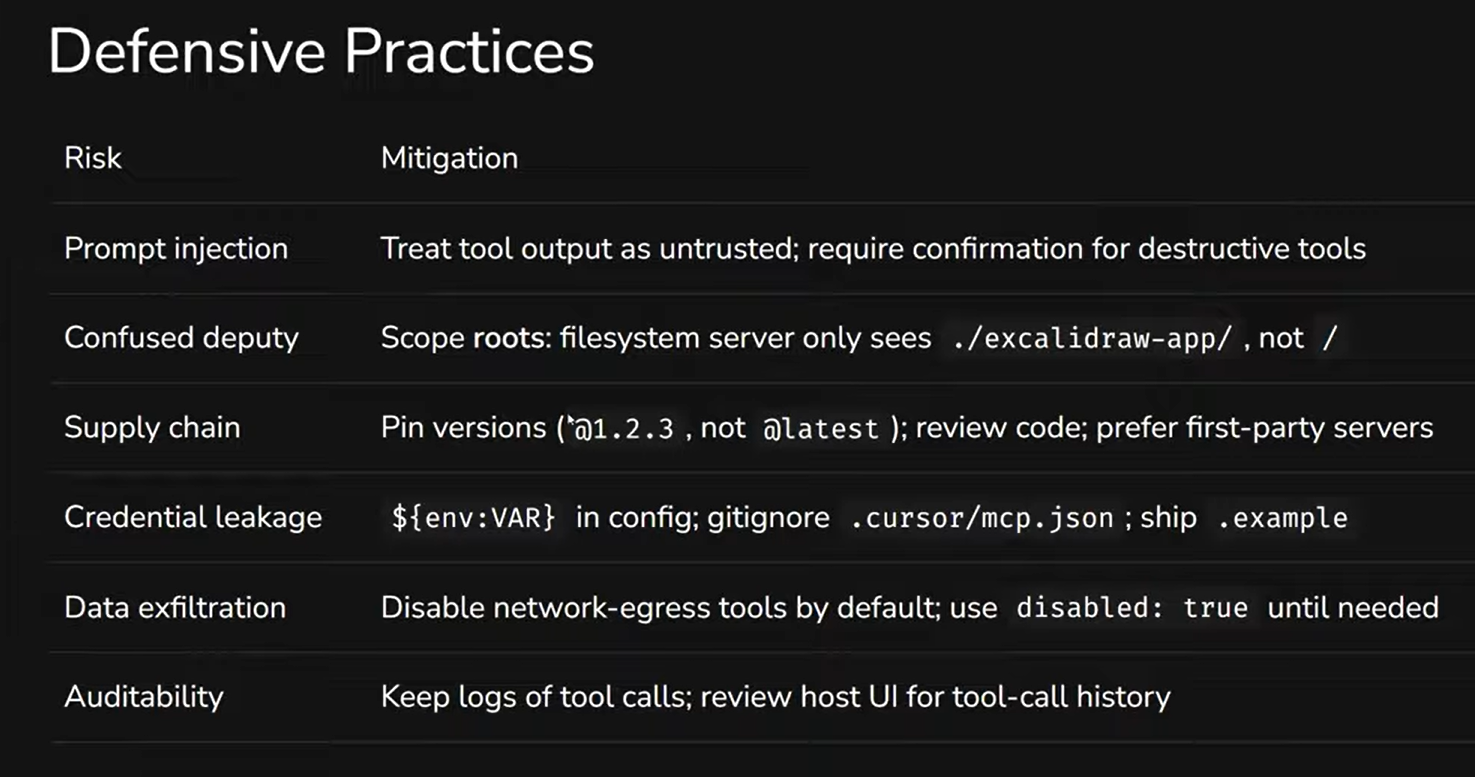
What to do about it? First and foremost - be careful about which MCP you install. Limit access: if an MCP works with the file system, restrict it to specific folders, not the entire disk. Pin specific package versions, not @latest - so you control exactly what's being executed. Don't put credentials directly in the MCP configuration - use environment variables instead, so even if the config ends up in Git, secrets won't leak. Disable tools that could lead to data exfiltration by default. And keep logs of tool calls - monitor what the agent did, because every MCP is an additional door in your security perimeter.
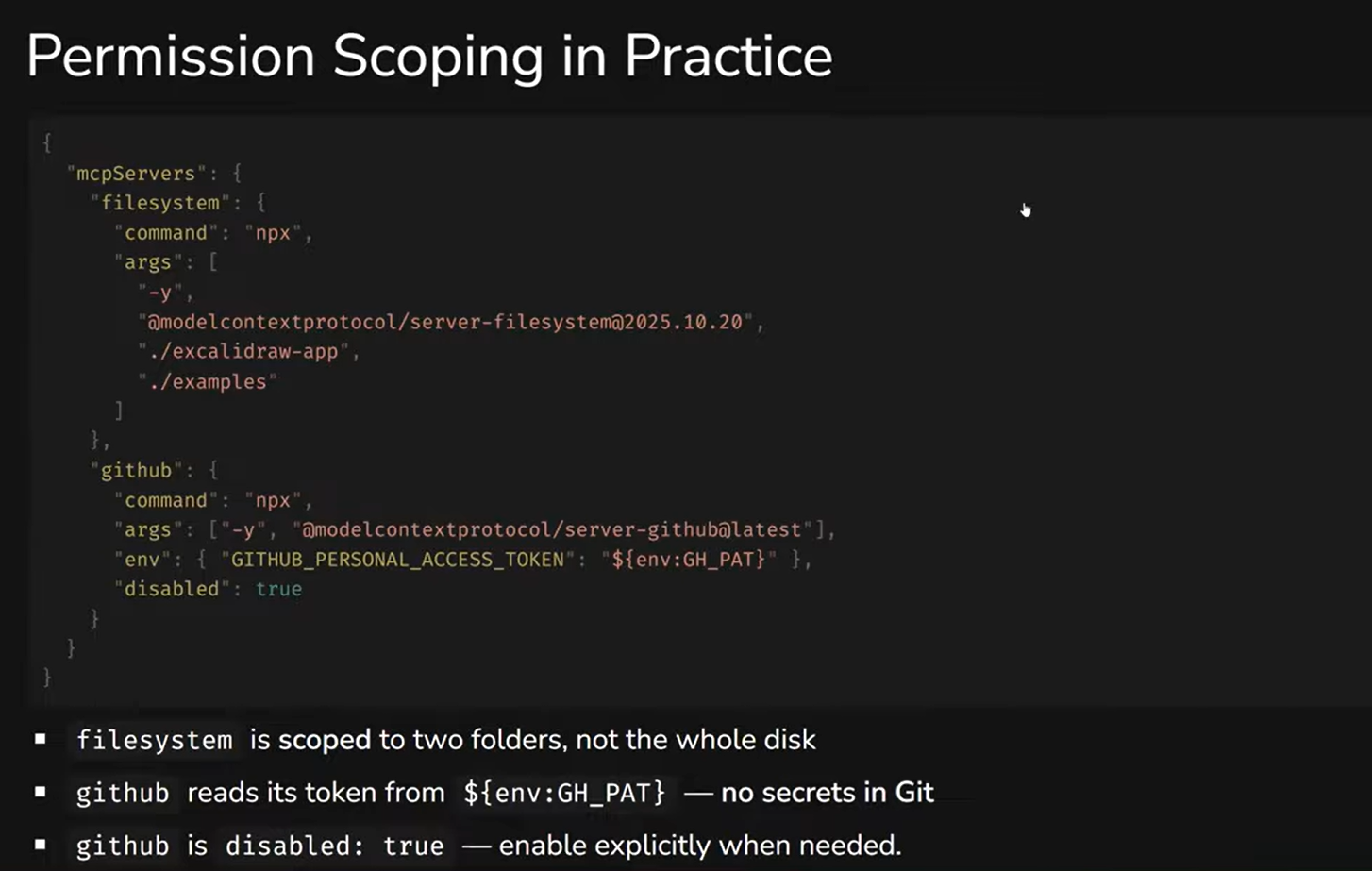
Here's what this looks like in practice. In the MCP configuration, the filesystem is restricted to two specific folders - not the entire disk. GitHub MCP takes its token from an environment variable, not from the config. And it's set to disabled: true - enabled only when needed for a specific task.
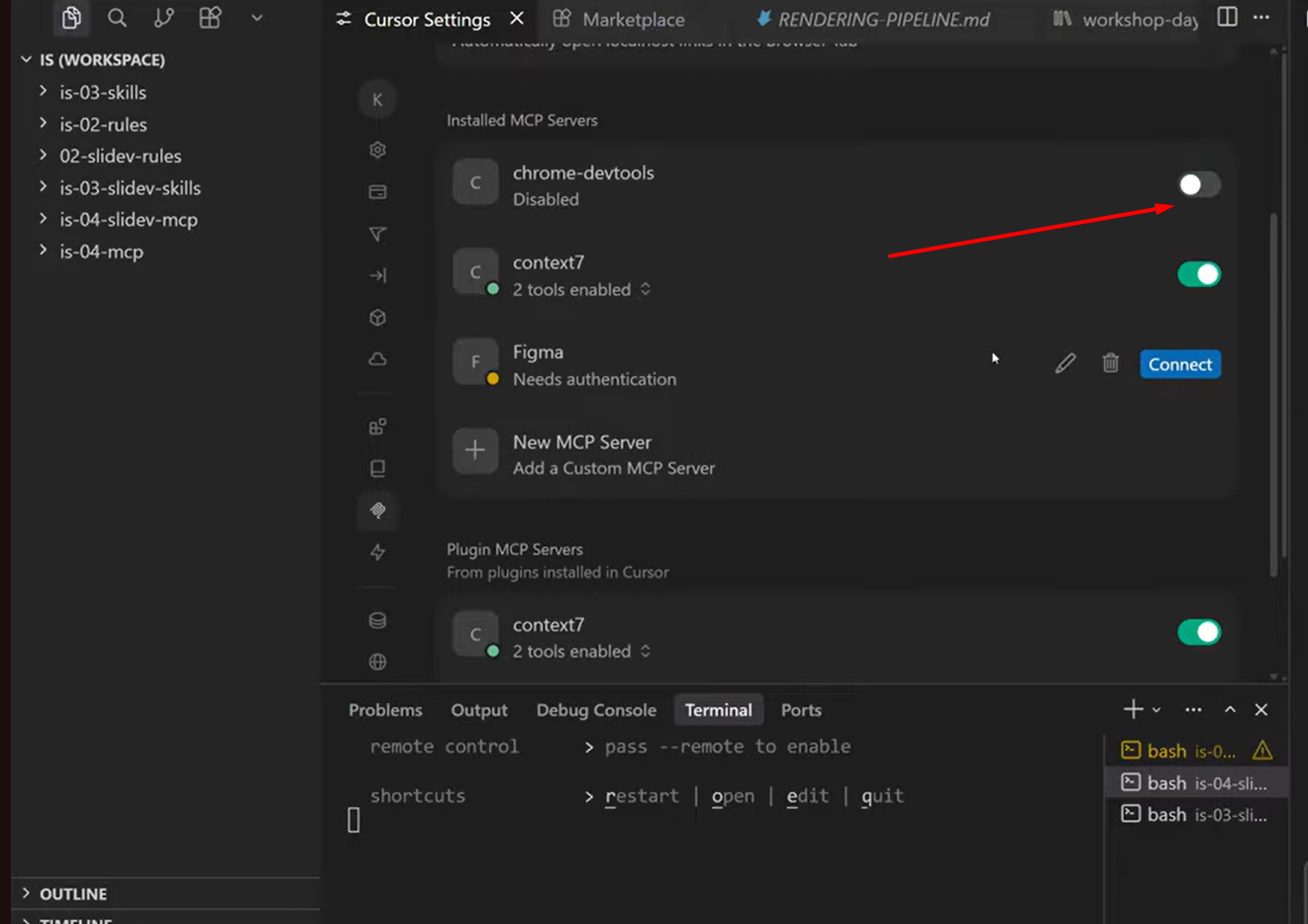
In Cursor, this is conveniently implemented: each MCP server has a toggle, and if it's not needed for current work - just turn it off. The fewer active MCPs at once - the lower the chance of unpredictable behavior and the less context clutter.
Where MCP Shines
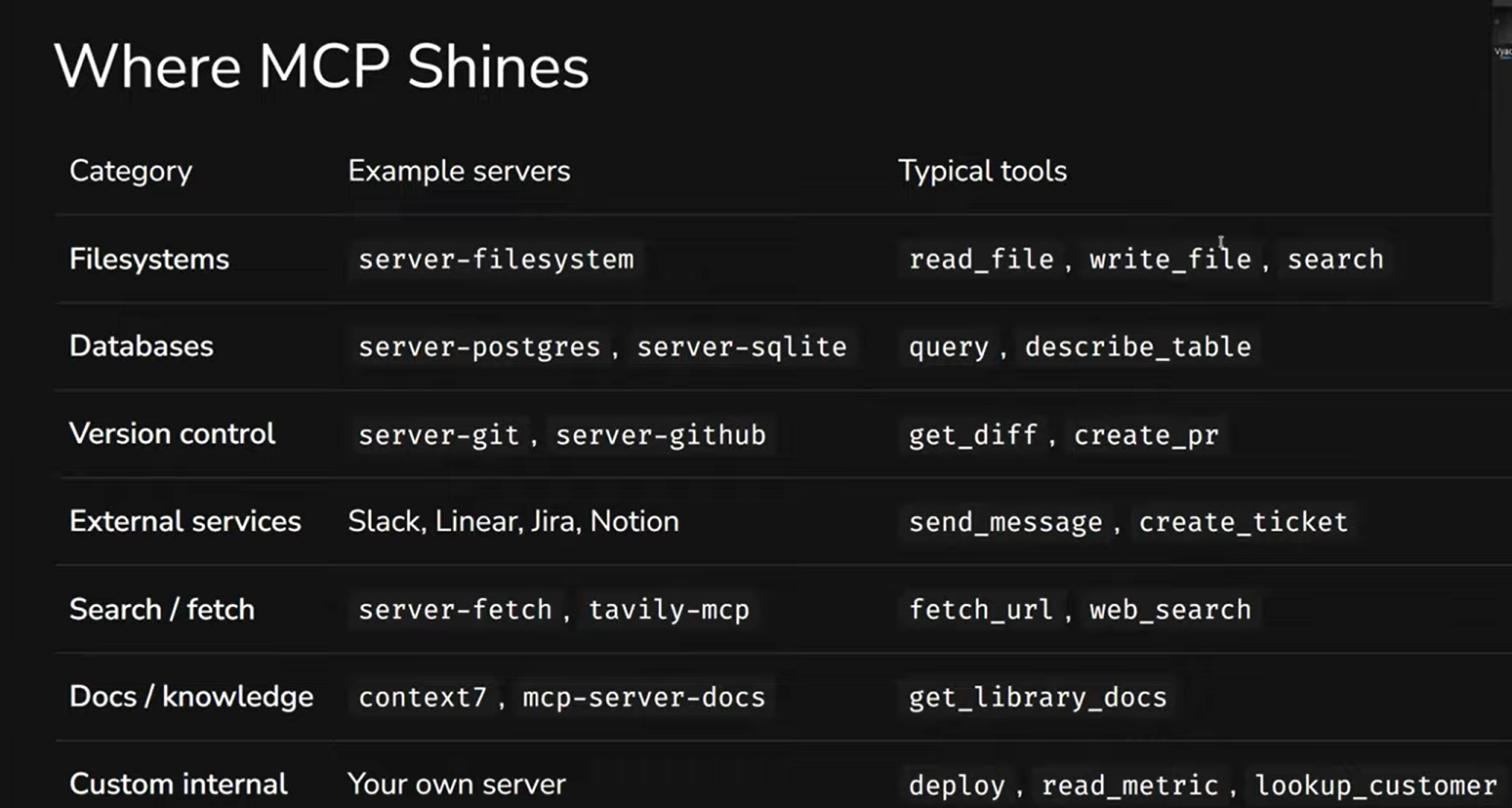
MCP's areas of application are broad, but some deserve special attention. File system access - used to be one of the most popular MCPs, but now most AI agents have built-in tools for this, and a separate MCP may be redundant. Databases - MCP is very useful here, but it's worth knowing that some servers allow not just reading, but also writing and even deleting tables. For a controlled environment, it's safer to stick with read-only access. Version control, external services (Slack, Jira, Notion), search, library documentation - and, particularly interesting, custom internal servers for specific projects.
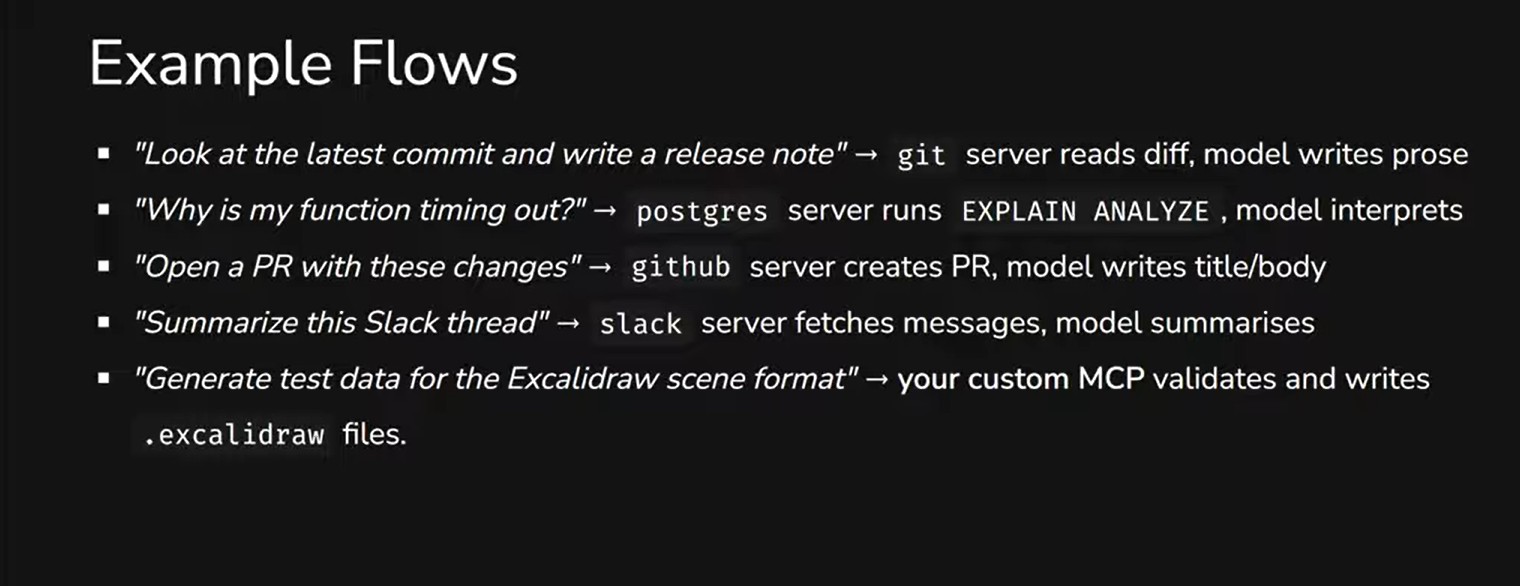
MCP is fairly simple to connect - after that, it enters the agent's context, and the agent understands how to use it on its own. You write "look at the latest commit and write a release note" - the git server reads the diff, the model writes the text. You ask "why is my query timing out" - the postgres server runs EXPLAIN ANALYZE, the model interprets the result. You say "open a PR with these changes" - the github server creates the PR, the model writes the title and body.
A few specific MCPs worth knowing:
Atlassian (Jira/Confluence). Connect it to Cursor - and instead of copy-pasting tasks from Jira into a prompt, just say: "here's task number such-and-such, make a work plan." The agent pulls all the context itself. Confluence works the same way - searches for documents by keyword and uses them.
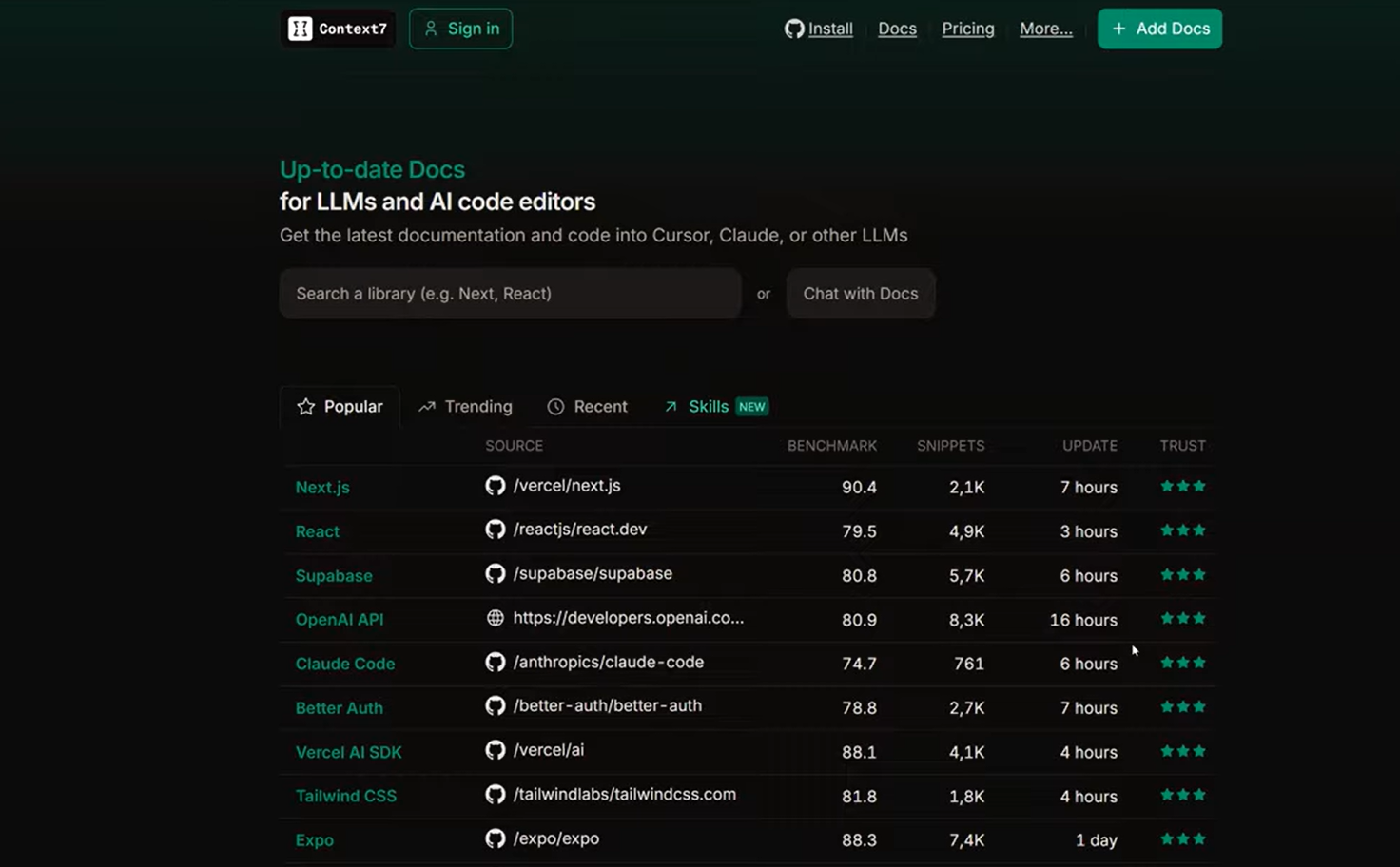
Context7. Pulls up-to-date library documentation directly into the agent's context. Not just the latest version, but documentation for the specific version used in your project. If you're working with an older React or Angular - you'll get docs for exactly your version, without new features you don't have.
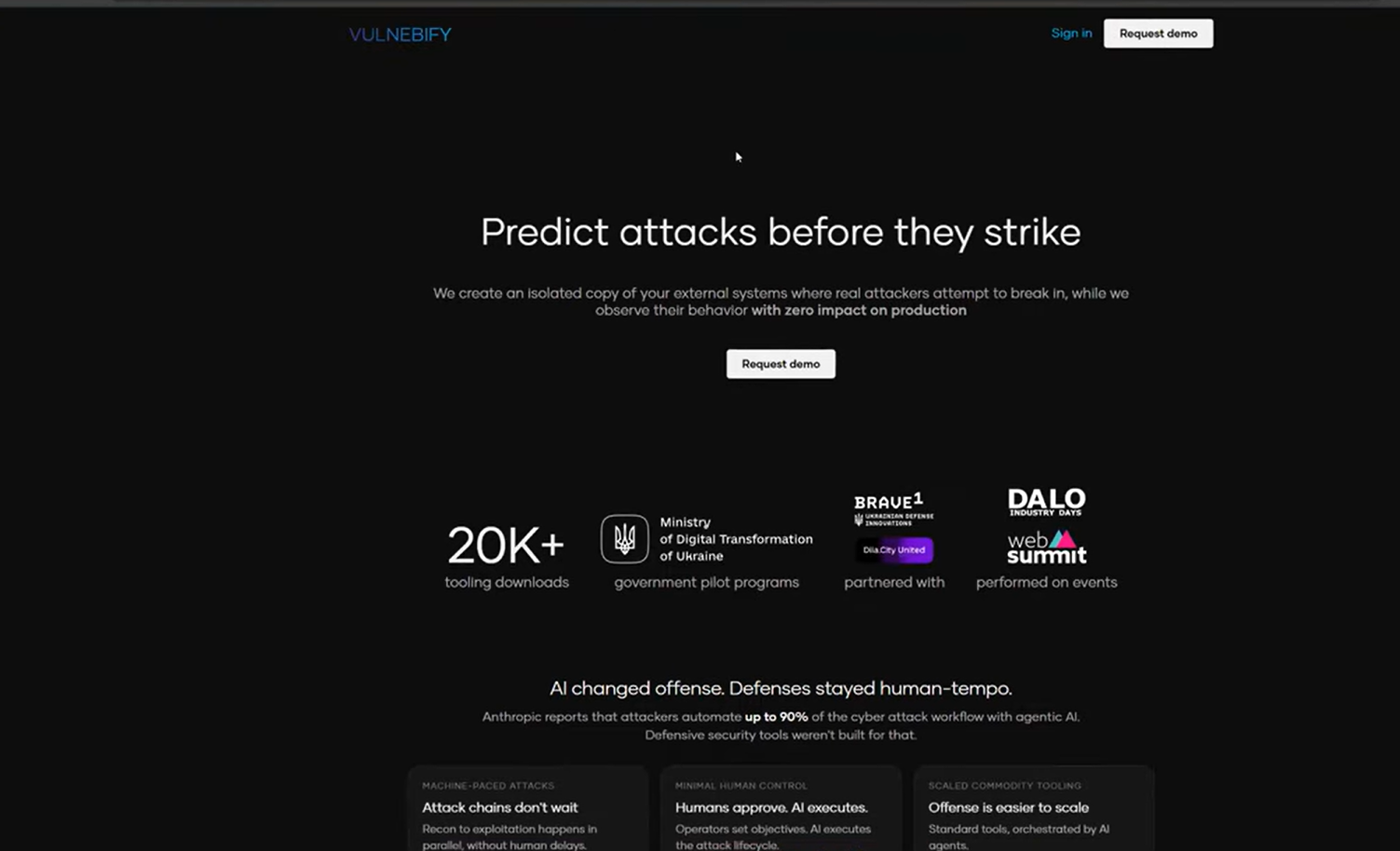
Vulnebify. A Ukrainian startup building an MCP for vulnerability scanning. Connect it, and after deploy the agent can automatically run a security check.
Ecosystem: Where to Find MCP Servers
There are plenty of MCP servers out there, and plenty of sources too. But quality varies widely, and it's worth being careful with your choices - because every MCP, as we've discussed, is an additional door in your security.
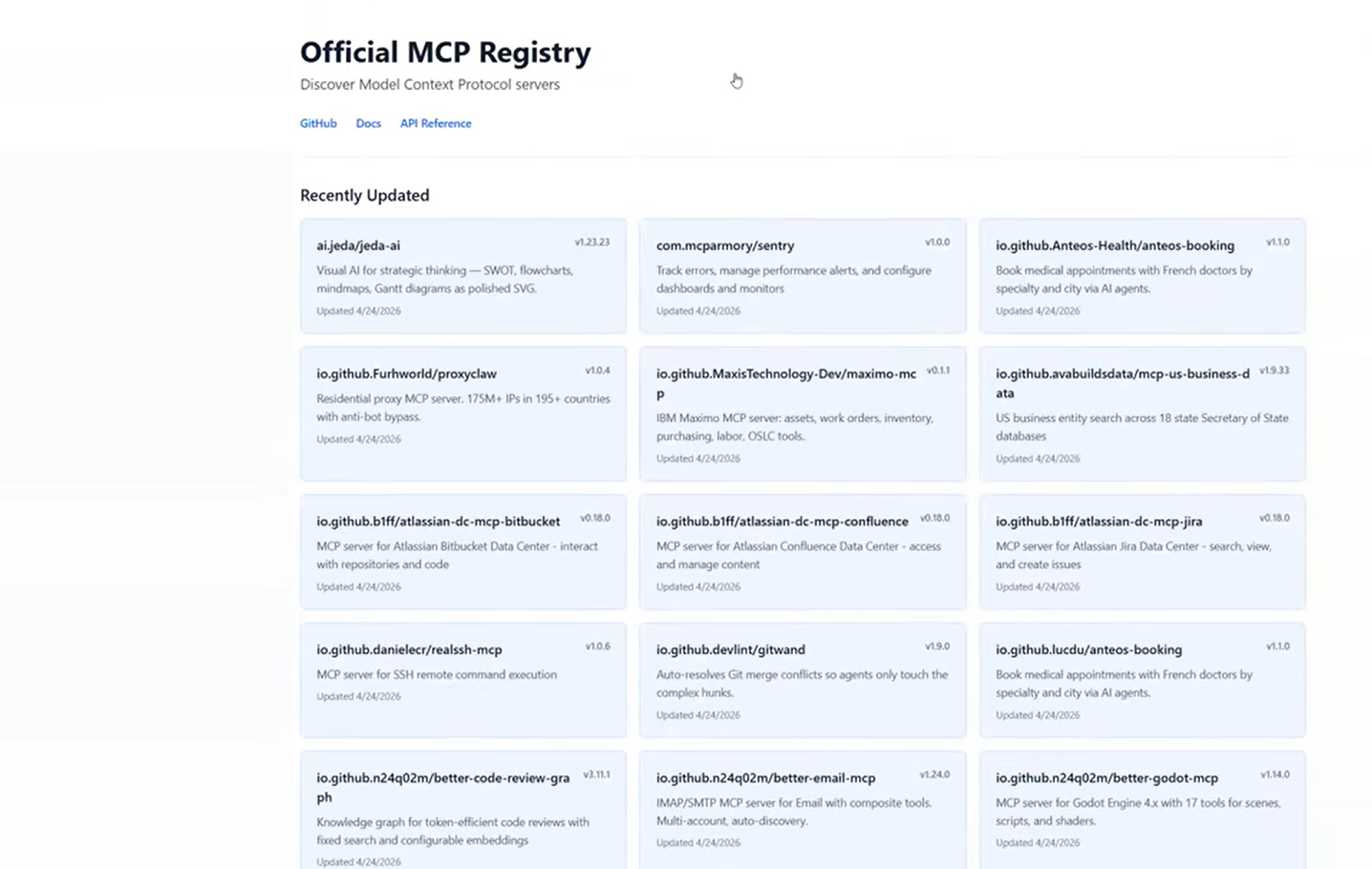
The most reliable source is the Official MCP Registry. There aren't many servers there, but what makes it into the official registry goes through review. For production use, it's best to start here.
On GitHub, there's the official modelcontextprotocol/servers repository with dozens of reference servers. It's actively maintained and has over 84,000 stars.
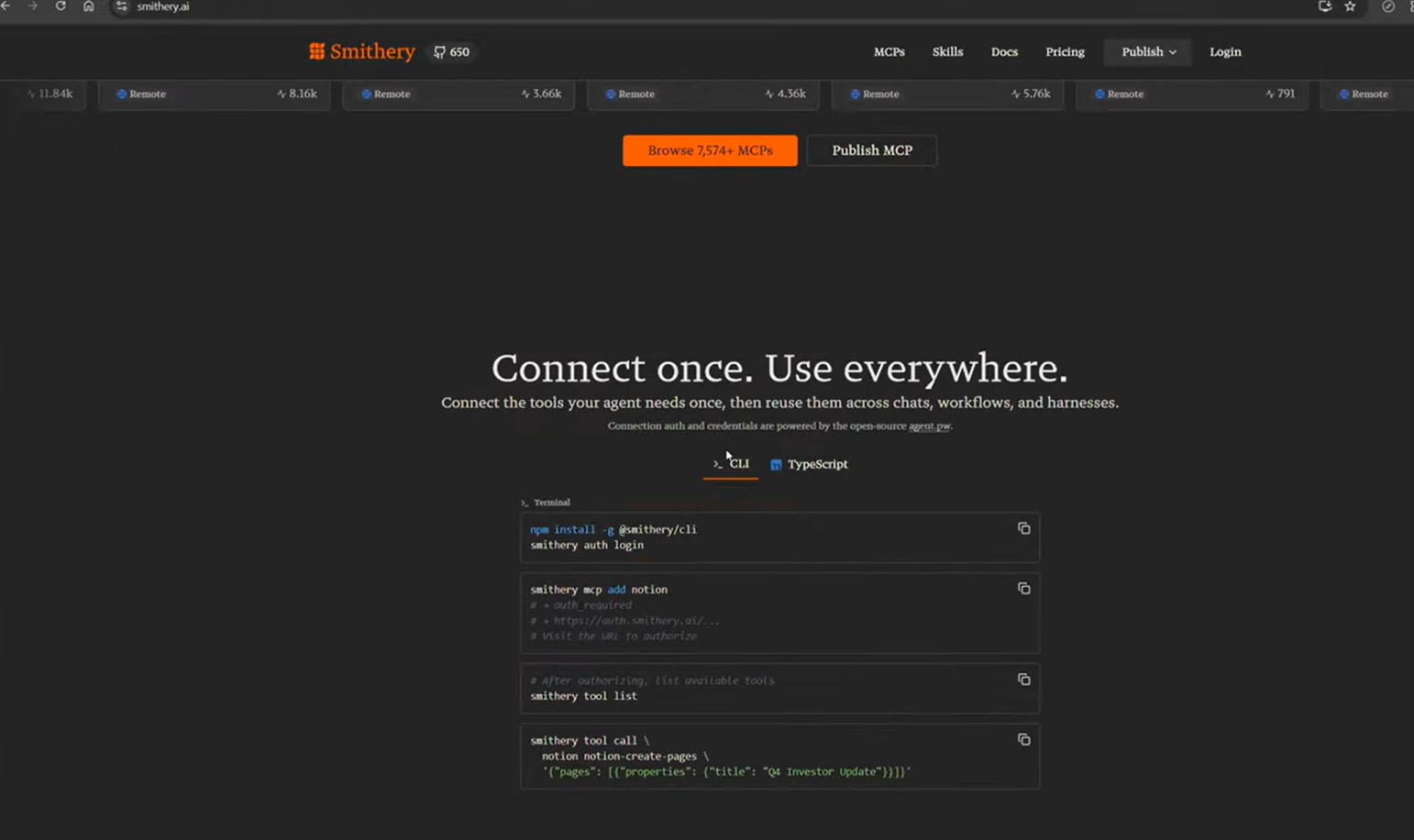
Smithery is a popular community catalog with over 7,500 MCP servers. Convenient for searching, and they recently added skills support - so the ecosystems are starting to merge.
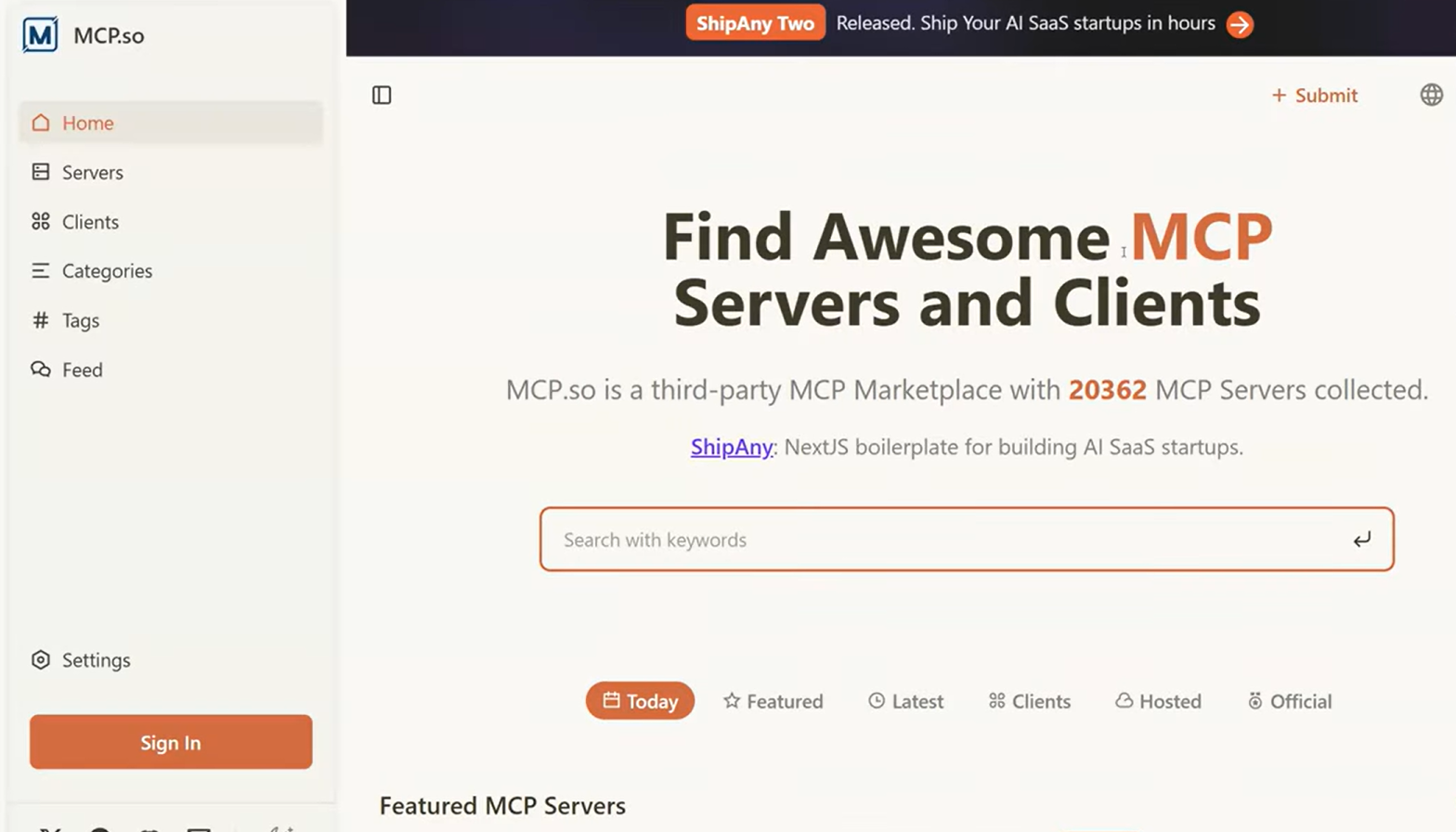
MCP.so is another large catalog with over 20,000 servers. But among that many, there are certainly problematic ones, so be careful and always verify what you're installing.
It's also worth noting that many well-known services already have their own MCP servers: GitHub, Notion, Linear, Cloudflare, Sentry, Stripe, Atlassian. If you use a service - it's worth checking whether they've already built an MCP for it.
And finally - there's always the option of building your own MCP server for a specific project or internal system. For teams, this is often the most valuable option.
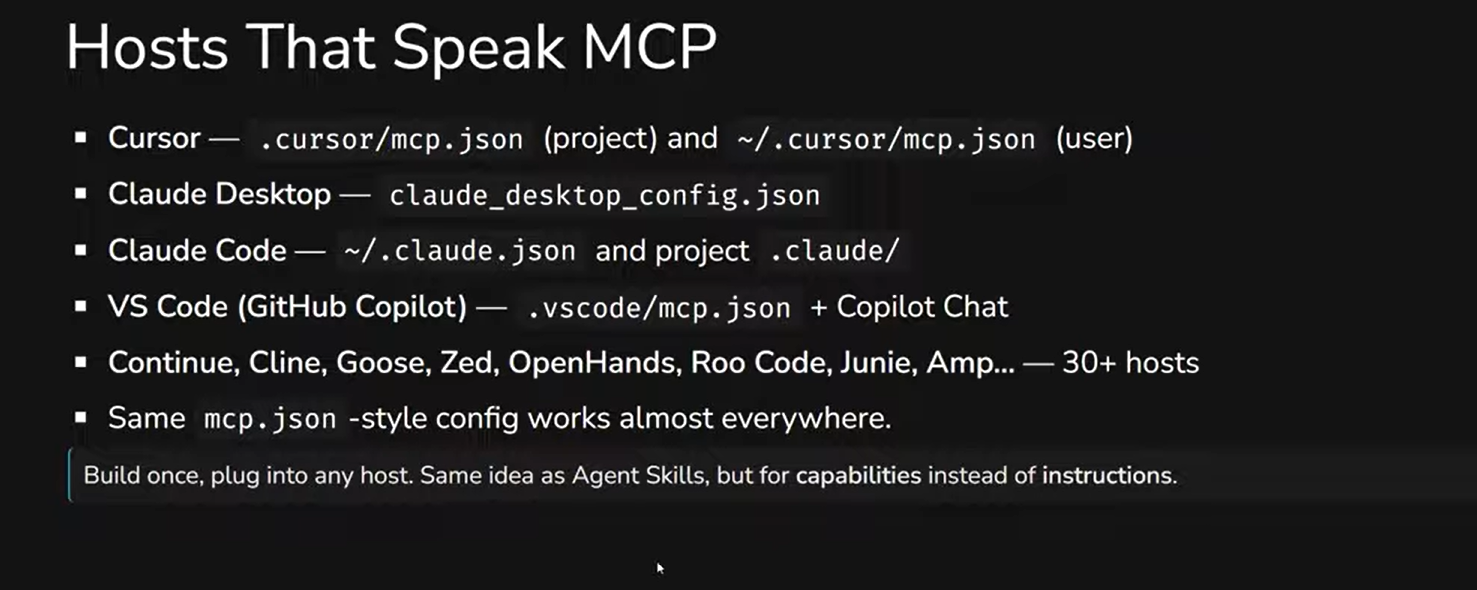
As for hosts - MCP is supported by over 30 tools: Cursor, Claude Code, Claude Desktop, VS Code (via Copilot), Continue, Cline, Goose, Roo Code, Junie, Amp, and more. Configuration via mcp.json works practically everywhere. And MCP can be connected not only to coding tools - any AI agent can use MCP servers.
Rules + Skills + MCP: The Complete Picture
We've looked at MCP on its own, but in practice it works alongside other tools. It's worth seeing the full picture.
Rules are constraints. They describe how the agent should behave: "don't use this library," "follow this code style." Skills are procedures and knowledge. They teach the agent to perform specific tasks: "how to create components in this project." MCP is external integrations. It gives the agent access to real systems: "read .excalidraw files," "query GitHub."
These tools don't exclude each other. On the contrary - they work as different layers: rules set the boundaries, skills transfer knowledge, MCP provides the hands. A prompt sets everything in motion. The key is understanding which tool is for which task. If you need a constraint - that's a rule. If you need a procedure - that's a skill. If you need access to an external system - that's MCP.
Summary
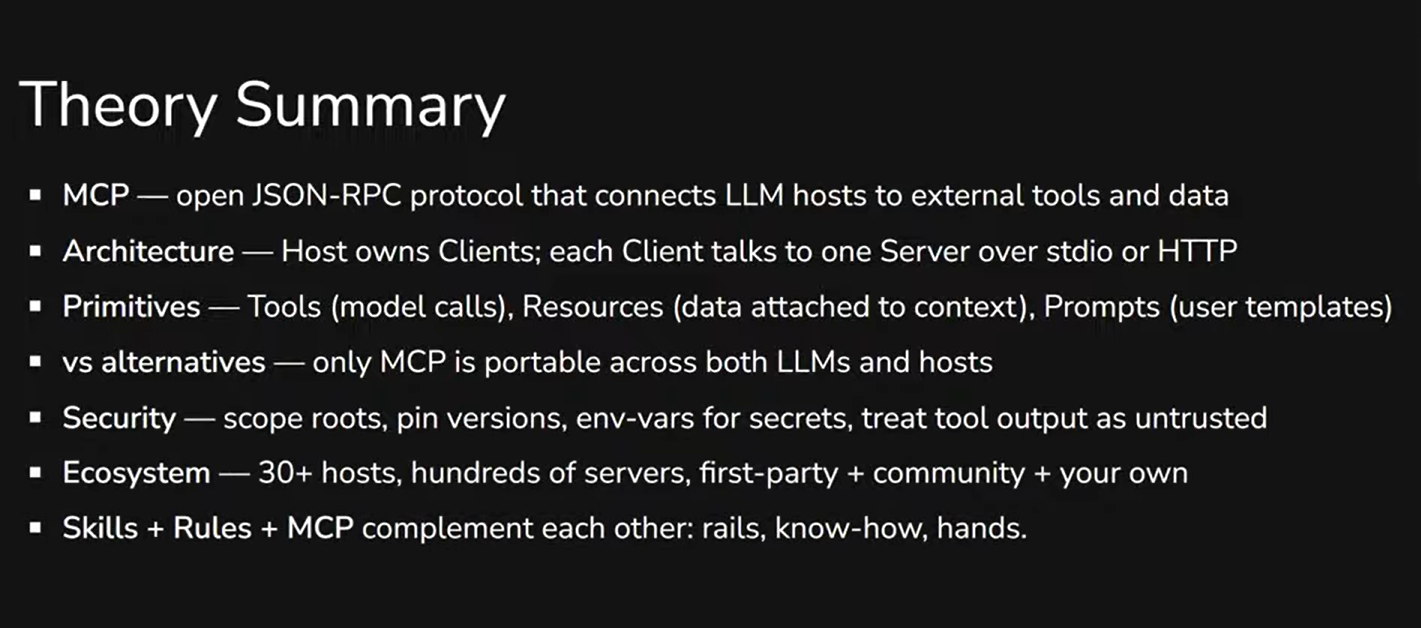
MCP solves a specific problem: AI agents are smart, but they work in a vacuum. They can't see your systems, can't call your API, don't know what's in the database. MCP gives them controlled access to the external world - through a standardized protocol that works across over 30 tools.
Key takeaways: the Host → Client → Server architecture provides a clear separation of responsibility. Three primitives (Tools, Resources, Prompts) cover most tasks, and for starters, Tools alone are enough. Security requires attention - every MCP is an additional door, and it needs to be controlled. The ecosystem is already quite mature: an official registry, thousands of community servers, and the ability to build your own. And most importantly - MCP, rules, and skills complement each other rather than compete.
This article was prepared based on materials from an internal InventorSoft workshop in the "Modern Development with Agentic AI" series.

Related articles

Top 10 Advantages of Microservices
Sep 22, 2022 9 min read 
How To Implement Supply Chain Management System Without Mistakes - step by step guide
May 25, 2023 10 min read 
10 Relevant Steps to Create Your Online Learning Platform
Jan 12, 2022 13 min read - What Is MCP
- Architecture: How It's Built
- What an MCP Server Can Do: Tools, Resources, Prompts
- When to Use MCP - and When Not To
- Security: MCP as Additional Doors
- Where MCP Shines
- Ecosystem: Where to Find MCP Servers
- Rules + Skills + MCP: The Complete Picture
- Summary